
Help
Resetting your password
How to get back into your account if you have forgotten your password.
If you cannot sign in, you can send yourself a reset link from the sign-in page. You do not need to contact anyone first.
Resetting it yourself
- On the sign-in page, select Forgot your password?
- Enter the email address on your Doghouse account.
- Select Email Password Reset Link.
- Open the email and select the link inside it.
- Enter your new password twice, then select Reset Password.
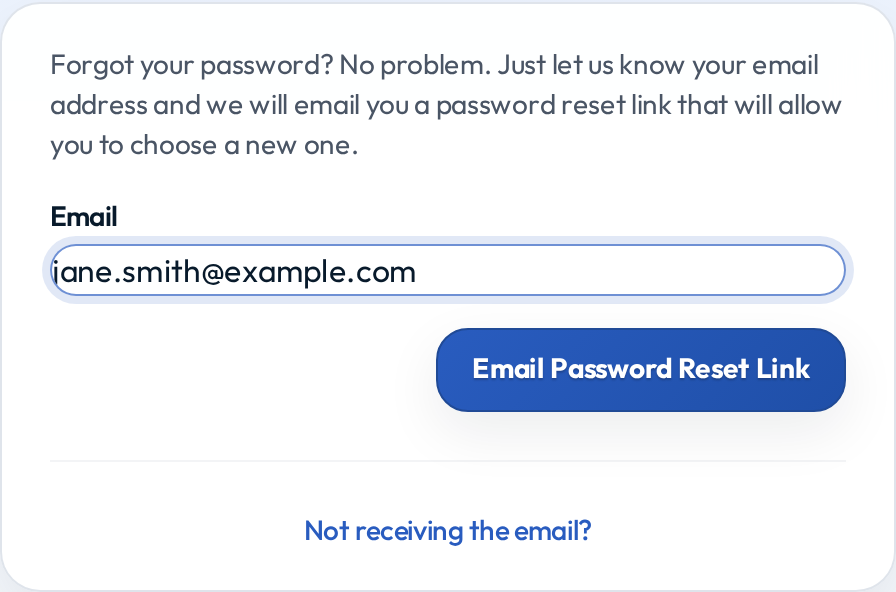
You are signed in as soon as the new password is saved.
If the email does not arrive
Give it a couple of minutes, then:
- Check your junk or spam folder. The email comes from Doghouse and is often filtered the first time.
- Check you used the right address. The reset only reaches the address on your account. If you have several, try the one your club has on file.
- Check the link has not expired. Reset links are deliberately short-lived. If yours has expired, request a new one and use it straight away.
If you were sent here from the registration page
If you tried to register and were told "You already have a Doghouse account for this CRN", that means your CRN is already registered to you and you do not need a new account. You need to get back into the existing one.
Request a reset link on this page using the email address you just tried to register with. That is the address already on the account.
If you cannot get in at all
If you no longer have access to the email address on your account, a reset link cannot reach you. Two options:
- Ask your club co-ordinator to send you a password setup link. Co-ordinators and admins can send one directly to a new address, which gets you back in without the reset email.
- Contact Doghouse support if your co-ordinator cannot help.
Changing a password you still know
If you can already sign in and just want a different password, you do not need this page at all. Sign in and change it from your profile instead.